

Solar Inverter Problems & Solutions: Why Your Inverter Isn't Working


If your solar inverter is not working, the first thing to figure out is whether the problem is power, production, or monitoring. Common solar inverter problems include a blank display, zero or low output, a monitoring app that shows offline, and shutdowns that repeat after a storm or outage. Some of these clear up on their own once grid conditions settle, while others point to a real hardware issue.
This guide walks through the most common solar inverter symptoms, what usually causes them, and what you can safely check yourself. If you already see a specific fault code or red light, our solar inverter fault code guide covers resets and code meanings in detail.
Still stuck after trying the basics? GreenLancer's repair team can help you figure out what's going on and get a technician out if needed.
Solar Inverter Not Working? Start With These Checks
Before digging into specific symptoms, a few quick checks can rule out the simplest causes. These take just a couple of minutes and often solve the problem outright.
Check whether your monitoring app is also showing offline, or just the inverter
Look for a tripped breaker on your main service panel
Confirm any accessible disconnect switches are in their normal position
Check whether your area recently had a power outage
Note any lights, error messages, or sounds before you touch anything
Common Solar Inverter Problems and Solutions
Most solar inverter problems fall into a handful of recognizable patterns, and the same basic inverter problems and solutions apply across most residential systems. The table below is a quick reference, and the sections after it walk through each one in more depth.
What You're Seeing | Likely Cause | Safe First Check |
Blank screen | Lost AC supply, tripped breaker, hardware issue | Check the breaker and monitoring app |
Zero production | Grid outage, shutdown, or inverter fault | Check utility power and the app |
Low production | Shading, heat, string issue, or clipping | Compare with recent normal days |
App shows offline | Internet or gateway communication issue | Check home internet and gateway status |
Stopped after an outage | Normal grid reconnect delay, or a lingering fault | Allow the normal reconnect window first |
Repeated shutdowns | Grid voltage, overheating, wiring, or hardware fault | Record timing and any warning shown |
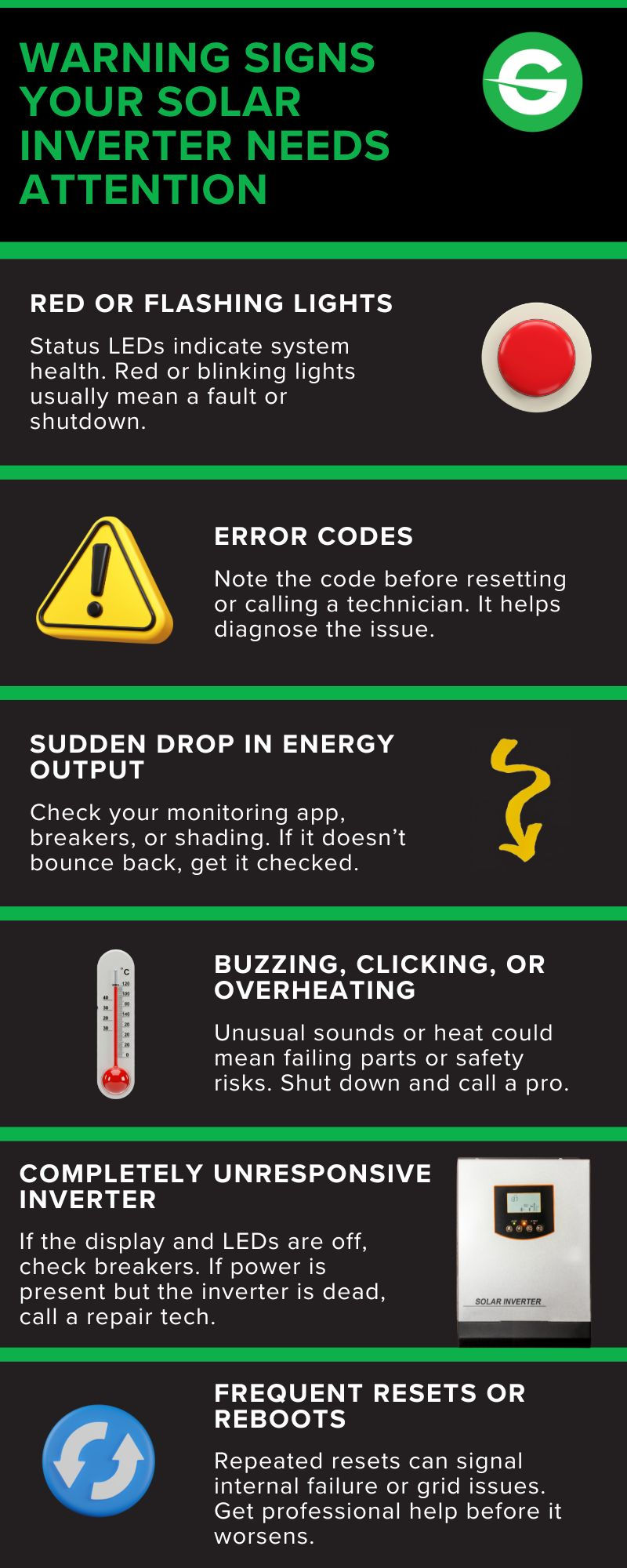
Solar Inverter Has No Power or Blank Display
A completely dark screen usually means the inverter isn't getting AC power, or a breaker has tripped somewhere in the system. It can also mean the internal display or power supply has failed. This is one of the more common solar inverter problems homeowners run into.
Safe checks:
Confirm the solar breaker in your main panel is switched on
Check whether the monitoring app is also dark, which points to a bigger outage
Note whether the home recently lost and regained utility power
If the breaker and disconnects look normal but the screen stays blank, that usually means professional diagnosis is the next step.
Solar Inverter Is On but Not Producing Power
An inverter can be powered on and showing a normal display while still producing nothing. This often points to a grid connection issue, a tripped internal protection setting, or a problem upstream at the panels or string.
Check for any fault message on the display before resetting anything. If nothing shows and production stays at zero, that's a strong signal to bring in a technician rather than keep guessing.
Solar Production Is Lower Than Normal
Lower-than-usual output is not automatically a problem. Cloud cover, shorter winter days, and high panel temperatures all reduce production on their own, and none of that means anything is broken.
Normal causes:
Seasonal changes in day length and sun angle
Cloud cover or hazy conditions
High panel temperature reducing efficiency
Signs of an actual problem:
A sudden drop that doesn't match the weather
One string or section consistently underperforming
New shading from tree growth or nearby construction
A gap in monitoring data that looks like low production but is really a communication issue
Solar Inverter Not Working After a Power Cut
Most grid-tied inverters shut down automatically during a utility outage and do not restart the moment power comes back. They wait to confirm the grid voltage and frequency are stable, which usually takes anywhere from a minute to several minutes.
If your inverter is still offline well past that window, check the display or app for a warning before attempting a manufacturer-approved restart. Persistent no-restart issues after an outage are covered step by step in our fault code guide.
Solar Inverter Keeps Turning Off or Restarting
Repeated shutdowns can result from grid voltage outside the inverter's allowable range, overheating, a loose connection, or an internal hardware issue. A single shutdown is rarely worth worrying about, but a pattern is worth documenting.
If the shutdowns consistently happen during peak production hours, heat or grid-voltage conditions are often the contributing factor.
Note the time of day each shutdown happens and whether the weather was unusually hot. That pattern is often the fastest way for a technician to narrow down the cause.

Solar Monitoring App Says the Inverter Is Offline
An offline reading in your app does not always mean your system stopped producing power. It often just means the inverter lost its connection to your home Wi-Fi or the manufacturer's monitoring platform, while the inverter itself keeps working normally.
Try restarting your router first, since that resolves a large share of connection issues. If the inverter stays offline after your internet is confirmed working, the gateway or communication device itself may need attention.
Is It the Inverter or Just the Monitoring?
If the inverter's own display shows normal production but the app is offline or hasn't updated recently, the problem is probably communications, not energy production. If both the inverter display and the app show zero production during daylight, the issue is more likely the inverter, the array, or the grid connection itself.
Always check the inverter's physical display before relying on monitoring data alone to decide your system has stopped working.
Solar Inverter Is Overheating
Inverters are built to reduce output or shut down temporarily when they get too hot, which protects the internal components. Poor ventilation, direct sun exposure, or blocked airflow around the unit can all contribute.
Clear any debris or obstructions near the inverter housing and make sure nothing is blocking its vents. If overheating keeps happening in normal weather, the placement or ventilation may need a second look from a professional.
Solar Inverter Is Making Unusual Noises
A faint hum during normal operation is expected. Loud buzzing, clicking, or humming that's new or getting louder can point to a failing internal component like a fan or transformer.
This is one of the situations where it's best to stop and call for service rather than keep operating the system as usual.
Solar Inverter Shows a Fault Code or Red Light
If your inverter is displaying a specific fault code or a red warning light, that's a more targeted problem than general troubleshooting can solve here. Our solar inverter fault code guide covers what individual codes mean and how to safely reset your system.
Not sure which situation you're in? GreenLancer's solar repair specialists can help you sort out the next step.

String Inverter vs. Microinverter: What a Symptom Might Mean
Your inverter type changes how a symptom shows up. With a string inverter, a single failure can knock out production across a large part of your array, since one unit handles the whole string. With microinverters, a failed unit usually affects just the panel it's attached to, while the rest of the array keeps producing.
There's one wrinkle worth knowing: a gateway or communication problem can make several microinverters look offline in your app, even though the panels themselves are fine. That's a monitoring issue, not a generation issue, and it's worth ruling out before assuming multiple units have failed.
What You Can Safely Check vs. When to Call a Professional
Some checks are fine for any homeowner to do. Others should be left to a qualified technician, mainly because solar equipment carries real electrical hazards on the DC side even when the AC power is switched off.
Stop and call for service if you notice:
A burning smell or visible smoke
Sparking, arcing, or scorch marks
Melted or discolored wiring
Water inside any electrical enclosure
Repeated breaker trips or persistent ground faults
Physical damage after a storm or lightning strike
Usually fine to observe first:
A monitoring app that's briefly offline
A short delay reconnecting after a power outage
A one-time communication gap in your data
Brief output reduction on a very hot day
Do not open the inverter enclosure or work on internal components yourself. Beyond the shock risk, unauthorized repairs or damage caused during DIY service can fall outside your manufacturer's coverage, though federal right-to-repair protections mean using an independent technician alone doesn't void your warranty. Our solar inverter warranty guide covers what's typically covered and how claims work.
SolarEdge, Enphase & Other Inverter Troubleshooting Resources
Brand matters once you're past general symptoms and into specific fixes. Here's where to go for platform-specific detail.

SolarEdge: issues can originate at the inverter, an individual optimizer, a string, or the grid connection. The SolarEdge troubleshooting guide covers model-specific error codes and status lights.

Enphase: because each panel has its own microinverter, one failed unit typically affects a single module rather than the whole array. Gateway or Wi-Fi issues can also make a healthy system look offline. See the Enphase troubleshooting guide for Envoy-specific steps.

SMA (Sunny Boy): SMA inverters commonly report grid-voltage, insulation-resistance, or communication faults. Moisture-related insulation faults tend to become more apparent during damp conditions. Record the displayed message or event number before taking any action, since that code helps distinguish a temporary grid condition from an actual equipment problem. Follow the manufacturer's guidance or have a qualified technician look into recurring faults.
If your brand isn't listed here yet, the general checks in this guide still apply, and GreenLancer can help you track down brand-specific support.
Solar Inverter Troubleshooting Checklist
Keep this sequence handy the next time something seems off with your system.
Check whether utility power is available in your home
Review the inverter screen or monitoring app for any message
Record any error code before resetting anything
Take a photo or screenshot of the display or error message
Check accessible breakers and external disconnects
Compare current production with a recent normal day
Note any recent storms, heat waves, or electrical work nearby
Note when the problem started and whether it followed an outage or storm
Write down your inverter's brand, model, and exact symptoms
Stop immediately if you see damaged wiring, burning, or arcing

Struggling to pin down the issue? GreenLancer's solar inverter repair team can take it from here, whether that means a quick fix or a full diagnostic visit. Complete the form below to get started.
Complete this form to get started.
FAQs on Solar Inverter Problems
Why is my solar inverter not working?
Common causes include a tripped breaker, a grid outage, a communication issue with your monitoring app, or an internal fault. Start with the basic checks above before assuming the unit has failed.
Why is my solar inverter not working after a power cut?
Most inverters wait to confirm the grid is stable before reconnecting, so a short delay is normal. If it stays offline well beyond that window, check for a fault message or see our fault code guide for reset steps.
Why is my solar inverter on but not producing power?
This usually points to a grid connection issue, an inverter protection shutdown, or a problem with the panels or string feeding the inverter. Check for a fault message before resetting anything, and if none appears, professional diagnosis is the next step.
Can a solar inverter work without internet?
Yes. Internet access is only needed for remote monitoring, not for the inverter to convert and send power to your home or the grid. A lost Wi-Fi connection just means you temporarily lose visibility into your system's performance.
Why does my solar inverter keep switching off?
Repeated shutdowns are usually tied to unstable grid voltage, overheating, or loose wiring. Tracking when the shutdowns happen, especially whether they cluster around peak sun or hot weather, makes it much easier for a technician to find the cause.
How do I know if my solar inverter is bad?
Signs of a failing inverter include a blank screen that won't come back on, repeated fault codes after resets, unusual noises, or zero production with no clear external cause. Any of these are good reasons to call for a professional diagnosis.
What is the most common problem with a solar inverter?
There isn't one universal answer, since it varies by system and brand. Homeowners frequently run into monitoring connection issues, grid-related shutdowns, overheating, and low or zero production. The symptom shown on the inverter display or monitoring app is usually the best clue to what you're dealing with.
Is it safe to check my inverter myself?
Basic checks like looking at breakers, disconnect switches, and the display are safe for most homeowners. Opening the enclosure or working on internal wiring is not, since solar equipment carries real shock and arc-flash risks even when the AC side is off.
When should I call a professional instead of troubleshooting further?
Call a professional if you see burning smells, smoke, visible damage, or if the same fault keeps returning after multiple resets. It's also worth calling in if you're simply not comfortable working around your system's electrical components.
Can GreenLancer repair my solar inverter?
Yes. GreenLancer connects homeowners with qualified technicians for solar inverter repair through a nationwide network, including systems where the original installer has gone out of business. Complete the contact form on this page and our team will help match you with a technician in your area.


Comments